How To
When airport WiFi, charging and basic facilities let you down
Keep your boarding information usable offline, recover a failed connection and manage your bags without depending on strangers.
Start here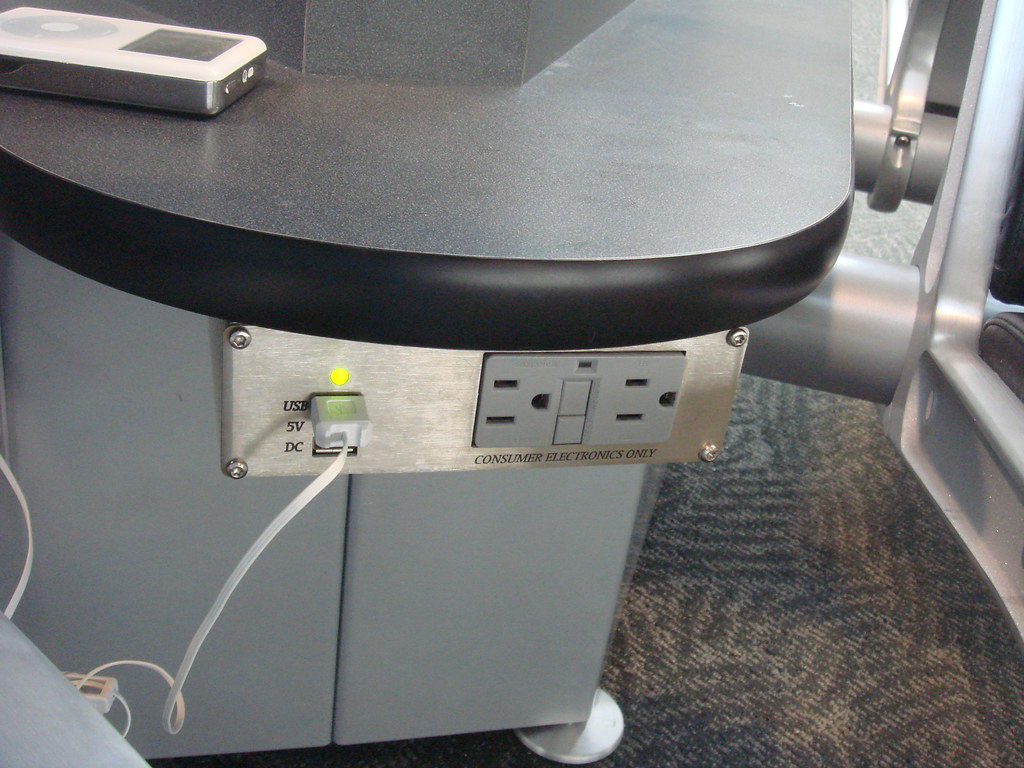
See the guide at a glance
Make the essentials independent of WiFi
Before traveling, save the boarding pass in the airline’s supported offline format or print it if needed. Save the flight number, booking reference, airline contact details and the airport map. Keep travel documents securely accessible without depending on a cloud login that may require another network connection.
A saved pass is a backup for presenting the ticket, not a live gate display. Once at the airport, compare its gate with current flight information. If the phone dies, go to airline staff with your identity and booking details rather than assuming that the absence of a screen means you cannot be helped.
Preserve enough battery for the tasks that matter next. Use the device’s normal battery-saving features, close unnecessary activity and avoid spending the last charge refreshing entertainment. If traveling with others, agree on a meeting point in case phones stop working. A concrete location and time are more useful than “message me when you arrive.”
If the WiFi says connected but nothing loads
Check the network name against the airport’s own instructions or ask a staffed information point. A convincing name is not proof that a network belongs to the airport. At SFO, the official instructions identify #SFO FREE WIFI and tell users to launch a browser; other airports use different names and sign-in steps.
Open the device’s WiFi settings and look for a sign-in prompt. If it does not appear, disconnect and rejoin the verified network, then open a normal browser. Check that you are completing the airport’s connection page rather than opening a stored page that simply displays an error. If that still fails, use the airport’s published support route or an available cellular connection.
Do not solve a login problem by installing an unknown certificate, configuration profile or app offered by an unverified page. Do not enter airline or email passwords into a WiFi sign-in form merely because it displays an airport logo. Avoid changing security settings you do not understand just to gain a few minutes of access.
Some devices need a simpler fallback
A games console, e-reader or other device may not provide the browser needed for a captive-portal login. Getting the phone online does not guarantee every device can use the same connection. Check the device maker’s supported connection method rather than copying a stranger’s complex network workaround.
For a short airport wait, the useful fallback may be downloaded content rather than troubleshooting every device. If you use your phone’s hotspot, check your data allowance and roaming terms first. Do not promise children or colleagues a connection before you have tested it on the device they will use.
For charging, carry your own compatible charger and cable. When a public USB port fails, try a suitable undamaged power outlet with your own charger if one is available. Check that the device actually shows charging before settling in. Do not use loose, broken or visibly damaged fittings, force a plug into place or move airport equipment to obtain power.
Keep the bags with you during basic stops
Solo travelers face an awkward problem when a toilet cubicle barely fits luggage. Keep your bags under your control rather than leaving them outside a stall or with a newly met passenger. Look for a more suitable facility or ask staff where one is available. Keep accessible facilities available to those who need them and follow the airport’s arrangements.
Organize the bags so that essential documents and valuables remain secured while you handle doors and clothing. If traveling with someone you trust, take turns while one stays with the bags. Do not let a charging point become a reason to leave a phone unattended while you visit the toilet.
If your onward route includes leaving the secure area, remember that a restroom, charging station or storage desk shown on a general map may be on the other side of security. Locate what you need near your actual gate before making a long trip. When in doubt, a staffed airport information point can help identify a usable option without risking a missed boarding call.
- Keep the boarding pass and booking details available offline.
- Verify the airport network name before signing in.
- Use supported sign-in steps and a simple fallback if a device cannot connect.
- Confirm charging actually starts; avoid damaged outlets.
- Keep bags and devices with you during toilet and food stops.
Official sources
Checked October 22, 2026. Confirm the requirements for your airline, route and travel date before departure.
Passenger questions behind this guide
These Reddit discussions identify problems passengers reported. Advice in replies is not treated as an official rule.